










Translate
Default
English
Español
Français

Sign Up for Our E-News!

Join over 18,000 other roofers who get the Week in Roofing for a recap of this week's best industry posts!

Sign Up
ASC Building Materials -  - Coatings
NRP - Who is NRP? -  Ad
RCS Canada -  Ad - Canada Microsite Launch
Geocel-Phantom-
Malco Group -  Ad - One Partner, Countless Solutions
Translate
Default
English
Español
Français

Contractors Cloud Integrates Seamlessly with QuickBooks
JUNE - RCS - Contractors Cloud - Contractors Cloud Integrates Seamlessly with QuickBooks
June 13, 2018 at 5:52 a.m.

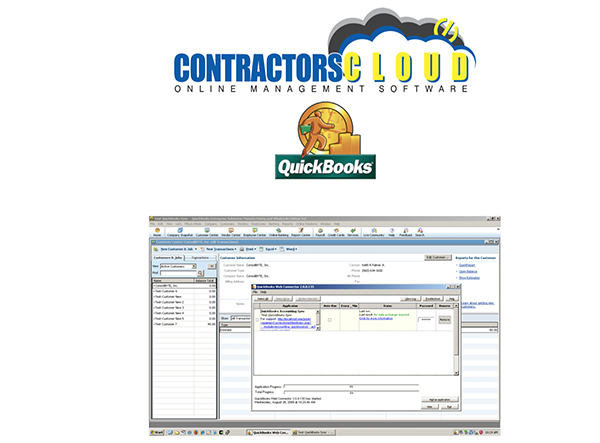
All information gets entered into Contractor's Cloud first, then it gets pushed to QuickBooks via Intuit's Web Connector.

The QuickBooks integration is packed full of customization. You can choose to only sync projects after a certain date (very useful in maintaining a clean file), sync automatically or by push button, or choose what functions you want to sync (i.e. invoices, payments, bills, credit memos, etc.).

The following can be imported from Contractor's Cloud to QuickBooks:

  • Customers
  • Customer Jobs
  • Invoices
  • Payments
  • Expenses
  • Vendors
  • Invoice Items

You are able to customize syncing parameters for your service items, vendors, and classes. There are also built-in tools to ensure you are maintaining the cleanest QuickBooks file.

Download the QuickBooks integration how-to guide to get started today.



Comments

There are currently no comments here.

Leave a Reply

Commenting is only accessible to RCS users.

Have an account? Login to leave a comment!


Sign In
CC AIinRoofing Register
Translate
Default
English
Español
Français

Sign Up for Our E-News!

Join over 18,000 other roofers who get the Week in Roofing for a recap of this week's best industry posts!

Sign Up
Westlake -   Ad - Unifed Steel/Scott Zick Testimonial
Van Mark Products -  Ad - Aug2026 Rebates
Pli-Dek -  - Only the Best - June
RT3 -  Ad
Code Compliance Critical Buildings
Malco Group -  Ad - One Partner, Countless Solutions